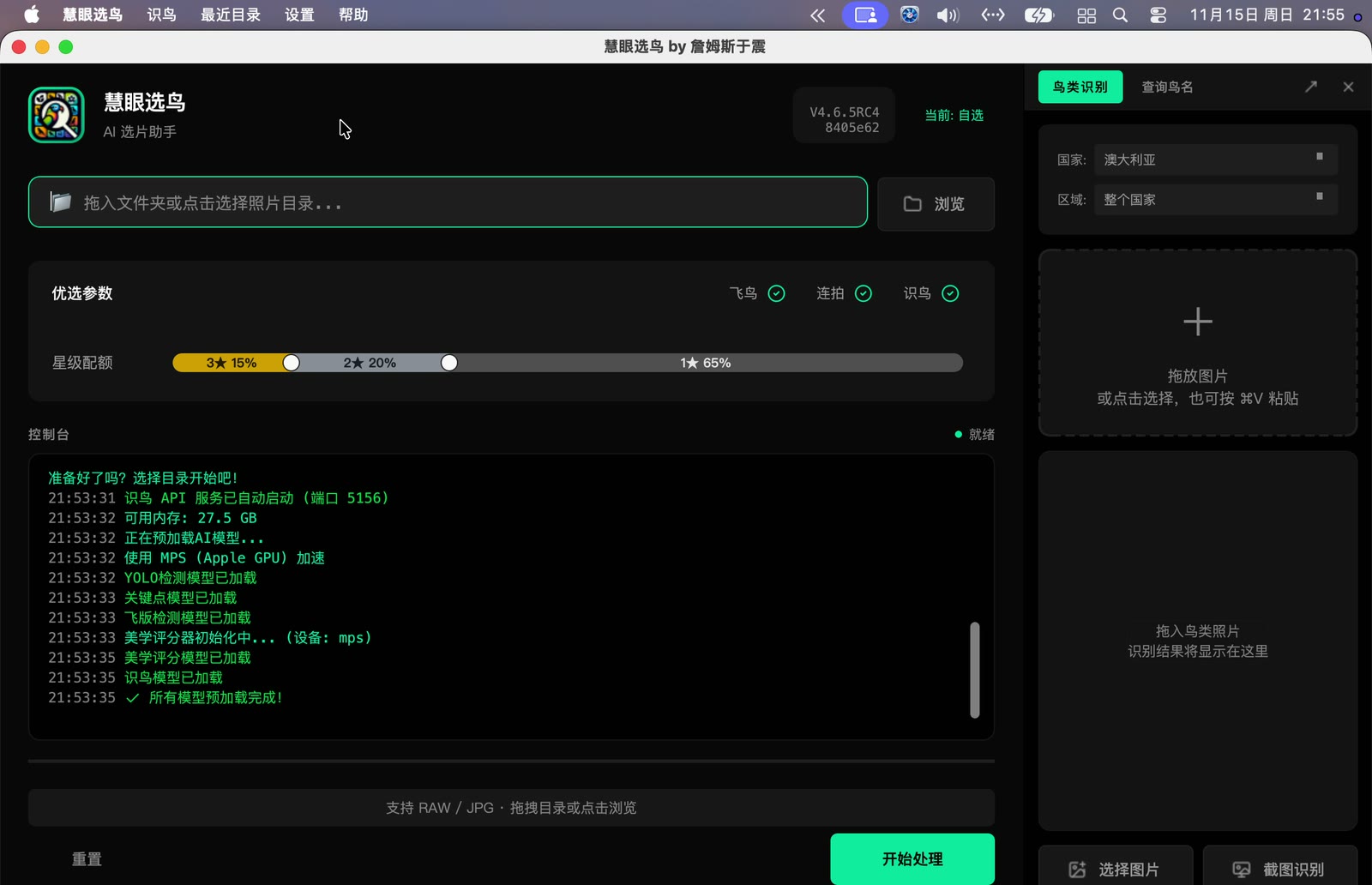
主界面上每个区域是做什么的,要找的功能在哪里。What each part of the main window does, and where to find things.
最上面是照片目录。把文件夹拖进框里,或点右边的 浏览 选择。
用过的目录会记在菜单栏的 最近目录 里,下次点一下就能重新打开。
The folder bar is at the top. Drag a folder in, or click Browse.
Folders you have used are listed under Recent Folders in the menu bar.
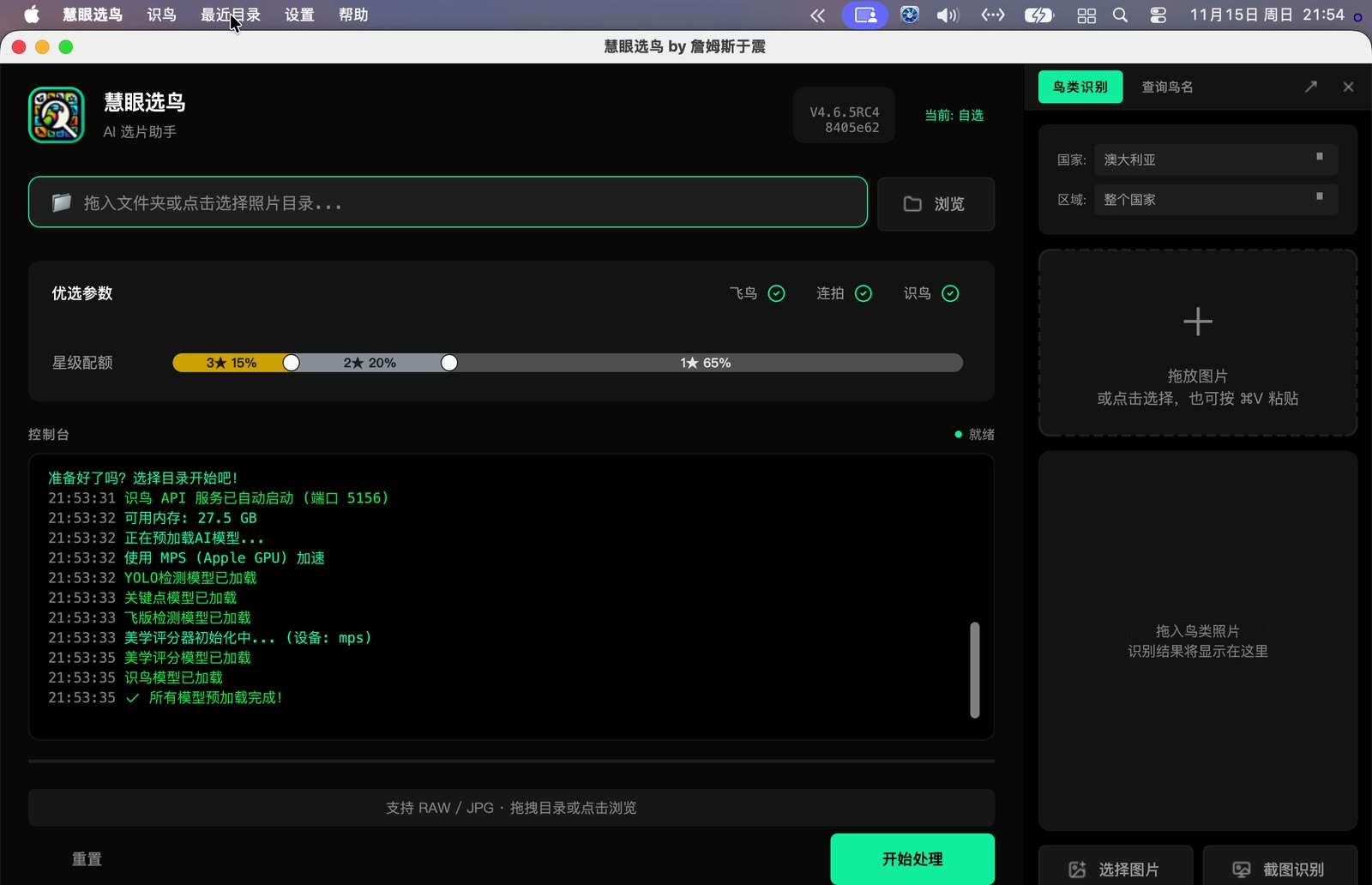
中间是优选参数:飞鸟、连拍、识鸟 三个开关决定这次要不要做这几项检测。
下面是 星级配额 条,拖动两个圆点可以调整三星、二星、一星各占的比例。
右上角是版本号,旁边显示当前的摄影水平预设。
The middle area holds the culling options. The Flight, Burst and Bird ID toggles choose which detections run.
Below is the star quota bar; drag its two handles to change the 3★ / 2★ / 1★ split.
The version number and the current skill preset are shown at the top right.
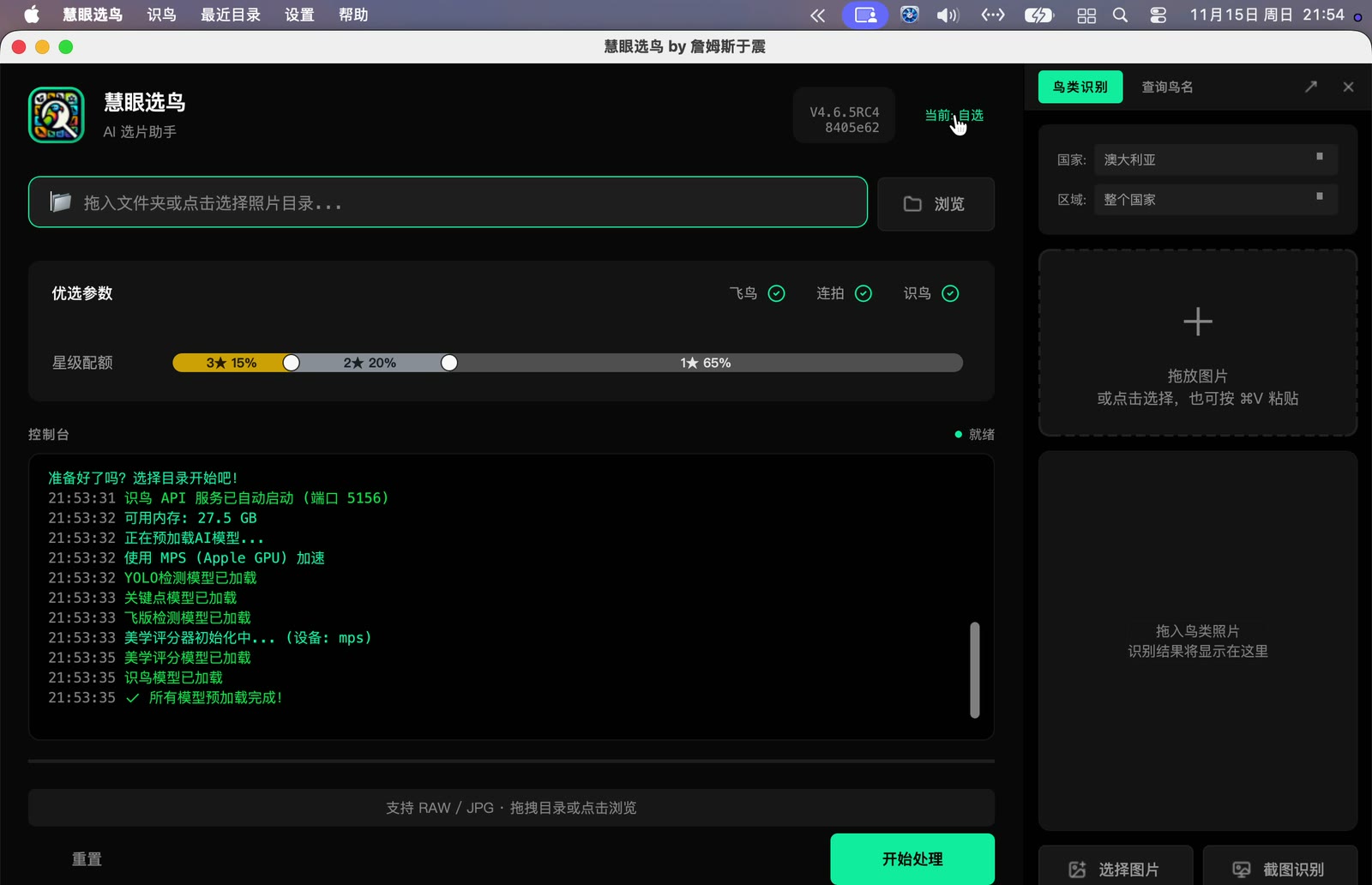
控制台实时显示处理过程,每张照片的锐度和美学分都会列出来。右上角的指示灯表示就绪、处理中或已完成。
底部左边是 重置,把整理过的照片恢复原样(见 第 12 章);右边是 开始处理。
The console logs progress live, including each photo’s sharpness and aesthetics. The light at its top right shows Ready, Processing or Done.
At the bottom, Reset (left) restores the folder to its original state — see Chapter 12; Start is on the right.
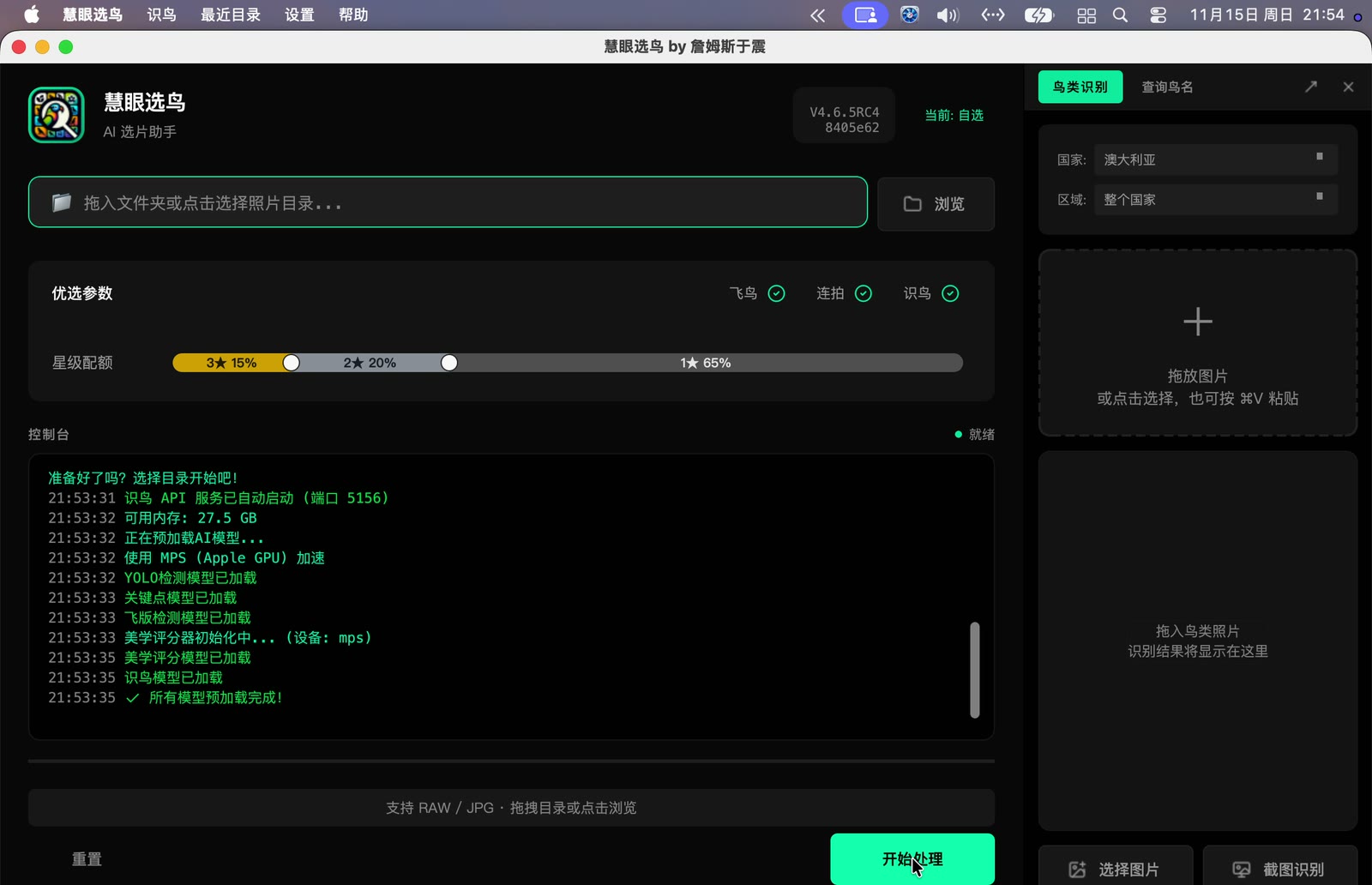
右边是识鸟面板。先选好国家和区域,再把鸟的照片拖进来、点 选择图片,或按 ⌘ V 粘贴,就能识别。
截图识别 可以框选屏幕上任意一张鸟图。面板右上角的两个按钮可以把它弹出成独立窗口,或者收起。详见 第 10 章。
The Bird ID panel is on the right. Set the country and region, then drop in a bird photo, click Choose Image, or paste with ⌘ V.
Screenshot ID lets you drag a box around any bird image on screen. The two buttons at the panel’s top right pop it out into its own window or collapse it. See Chapter 10.
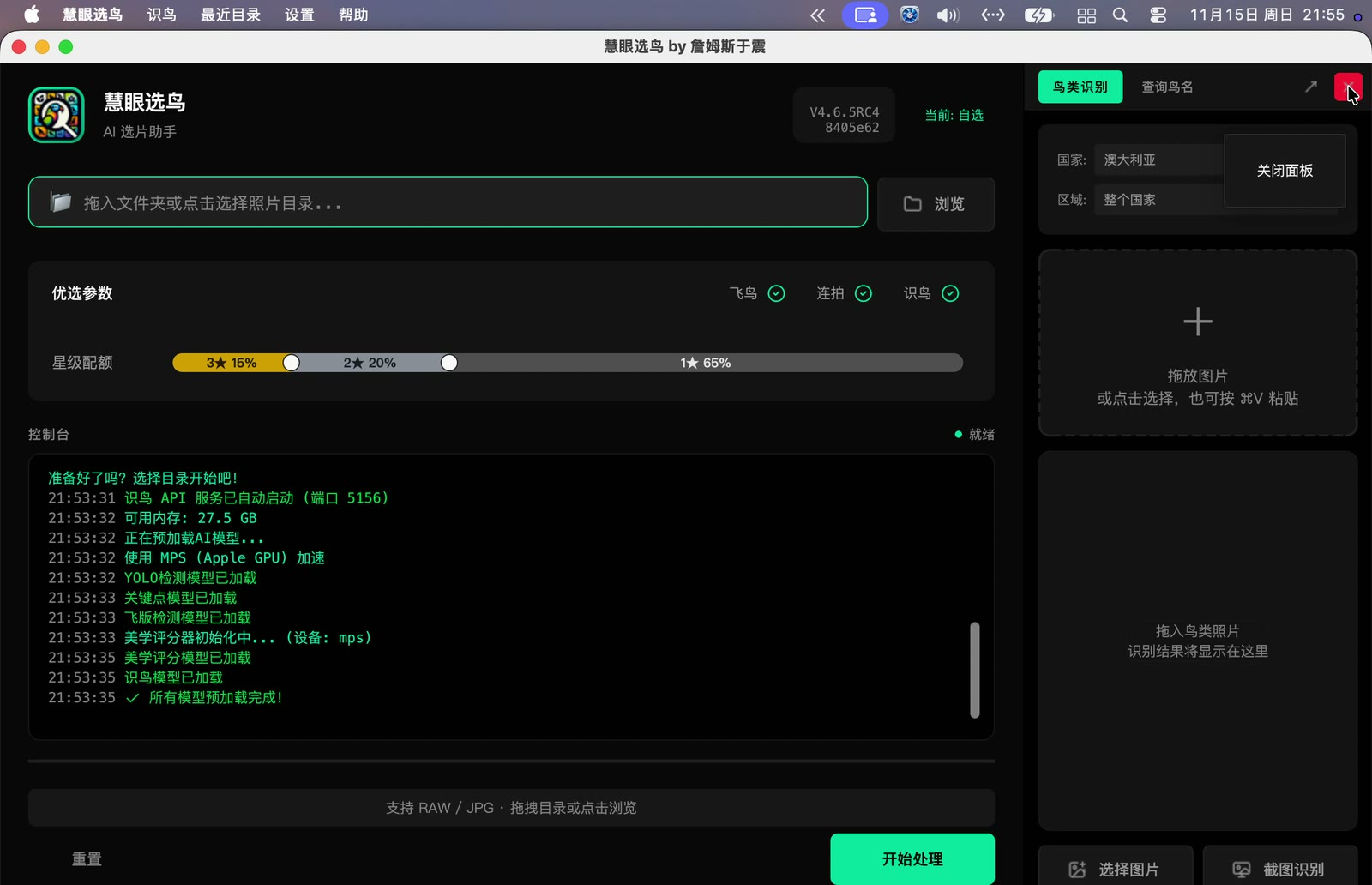
识鸟 菜单随时打开或关闭识鸟面板;设置 菜单里是参数设置、环境修复和界面语言。
The Bird ID menu shows or hides the panel; the Settings menu holds Preferences, environment repair and the interface language.