随手认出一张鸟图、查鸟名,选片时批量识别鸟种,认错了怎么改。Identify any bird image, look up names, batch-identify while culling, and correct mistakes.
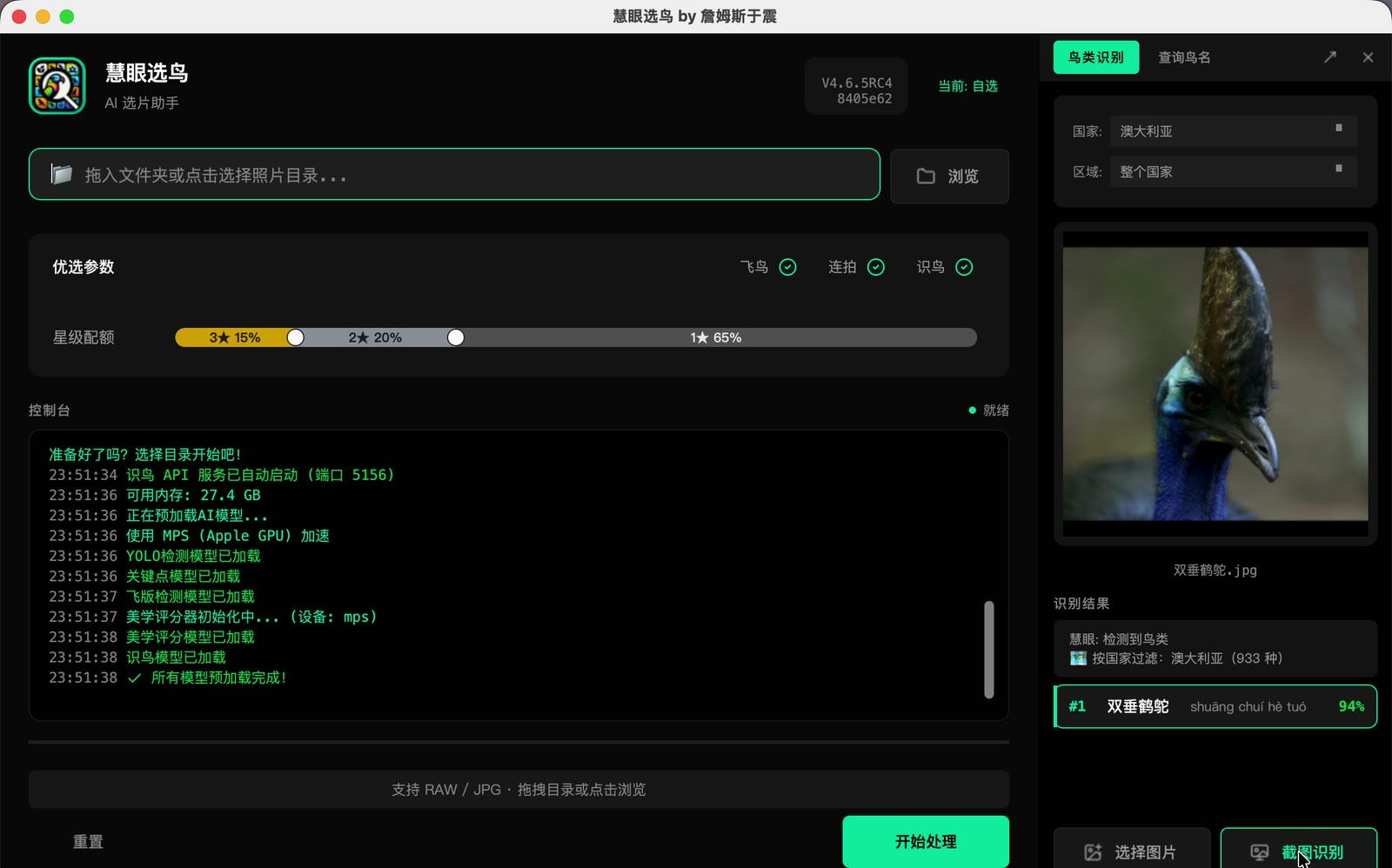
先在识鸟面板设好 国家和区域,识别时只在当地鸟种里比对,准确率会高很多。
点 选择图片、把照片拖进来,或按 ⌘ V 粘贴,几秒钟就有结果,例如“双垂鹤鸵,置信度 94%”,并注明是在澳大利亚的九百多种鸟里比对的。截图识别 可以框选网页等任何地方的鸟图。
Set the country and region first; matching is then limited to local species, which is far more accurate.
Click Choose Image, drag a photo in, or paste with ⌘ V. Results arrive in seconds — e.g. “Southern Cassowary, 94%”, noting it was matched against 900-odd Australian species. Screenshot ID works on bird images anywhere on screen.
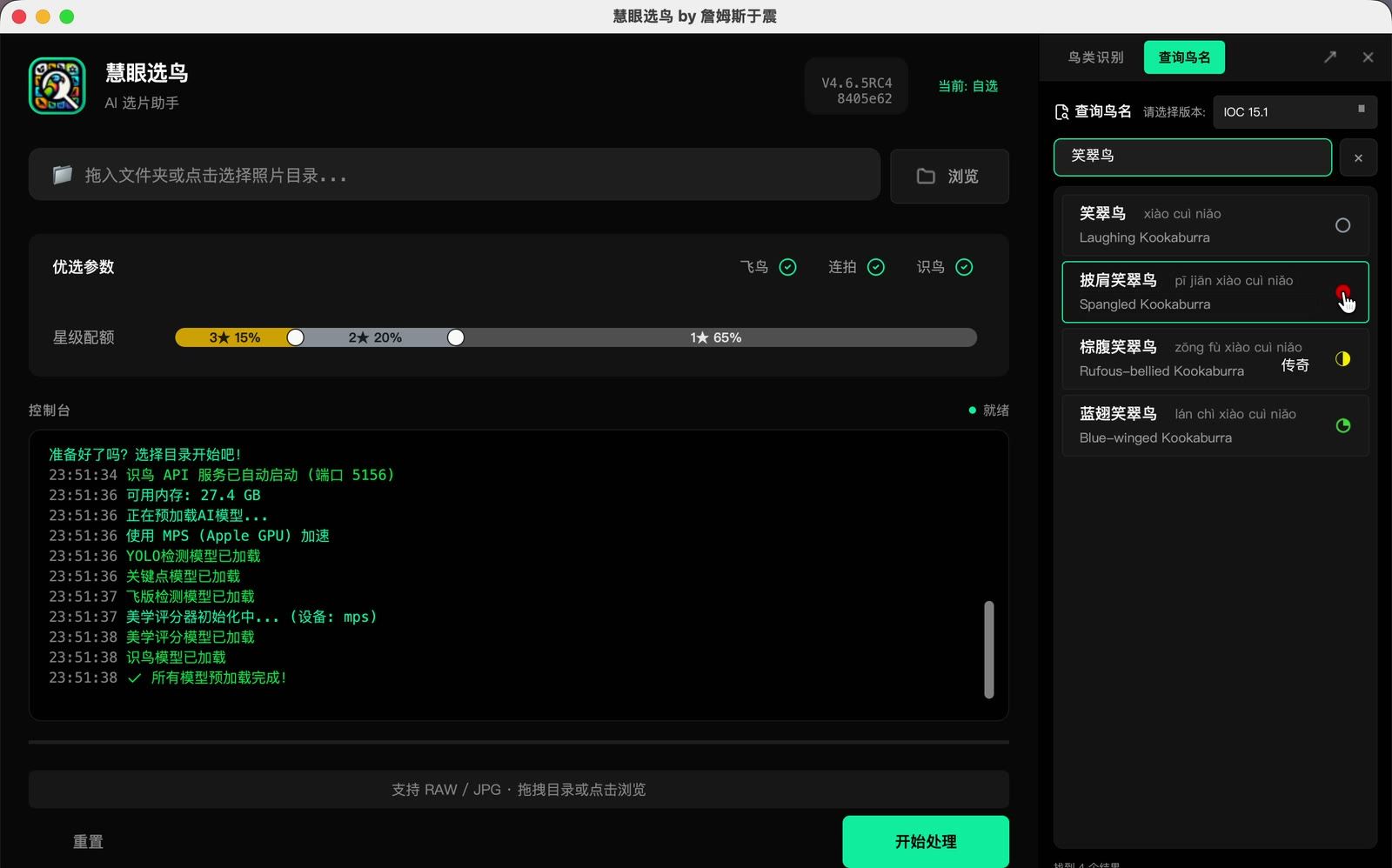
查询鸟名 支持中文、英文、拼音和缩写。输入“笑翠鸟”,会列出四种笑翠鸟和各自的罕见程度。
Name lookup accepts Chinese, English, pinyin and abbreviations. Typing “kookaburra” lists all four kookaburras with their rarity.
打开主界面的 识鸟 开关后,二星以上的照片都会自动识别鸟种,写进照片标题,并按鸟种分好文件夹。几千张也是一次认完。
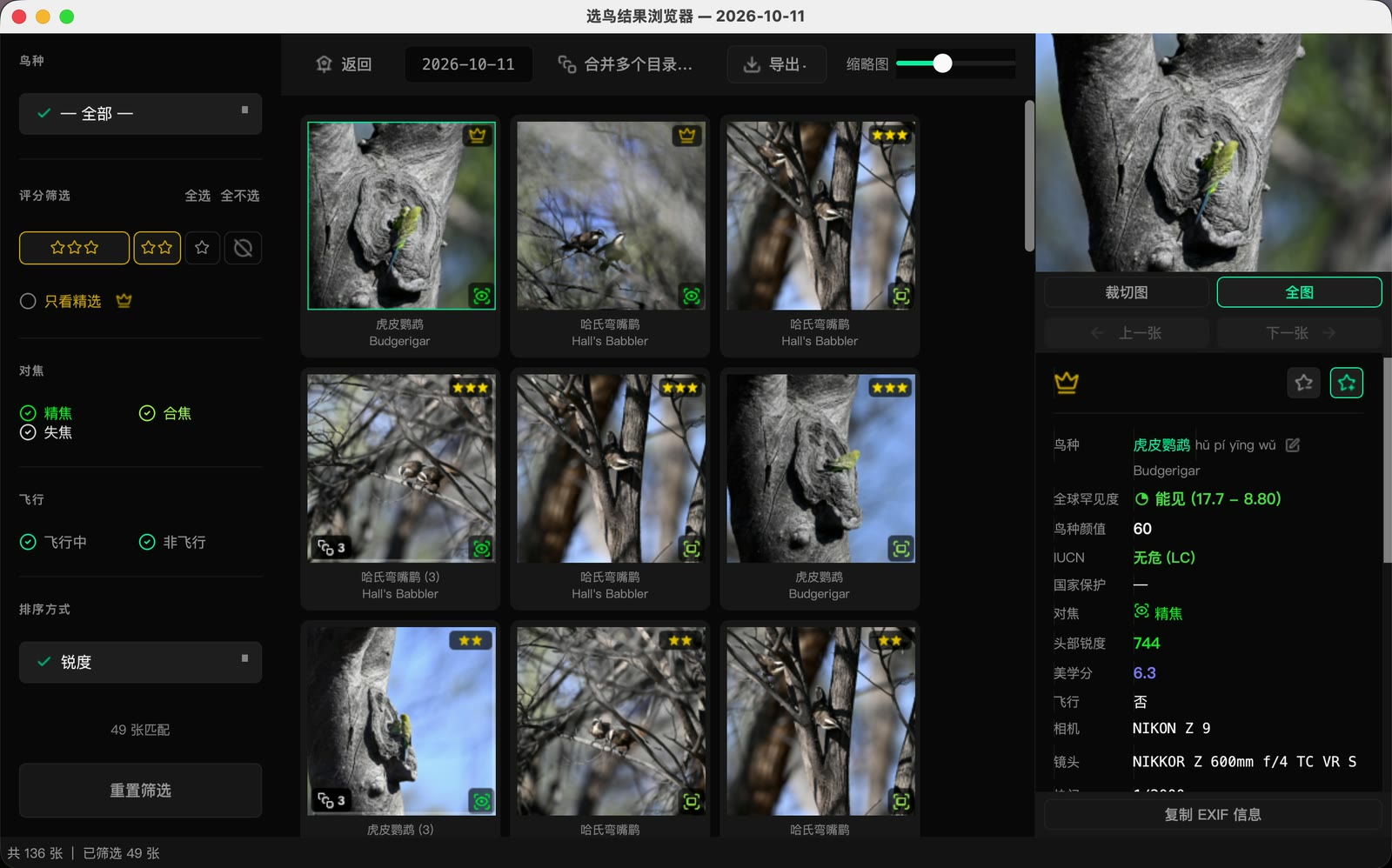
结果浏览器右栏写着每张照片的鸟种和识别置信度。鸟种来自同组连拍里置信度最高的一帧时,会注明“连拍统一自 …”。
With the Bird ID toggle on, every photo rated 2★ or higher is identified, the species is written to the title, and folders are organized by species — thousands of photos in one pass.
The right pane shows each photo’s species and confidence. When the species was taken from the most confident frame of its burst, it says “unified from burst …”.
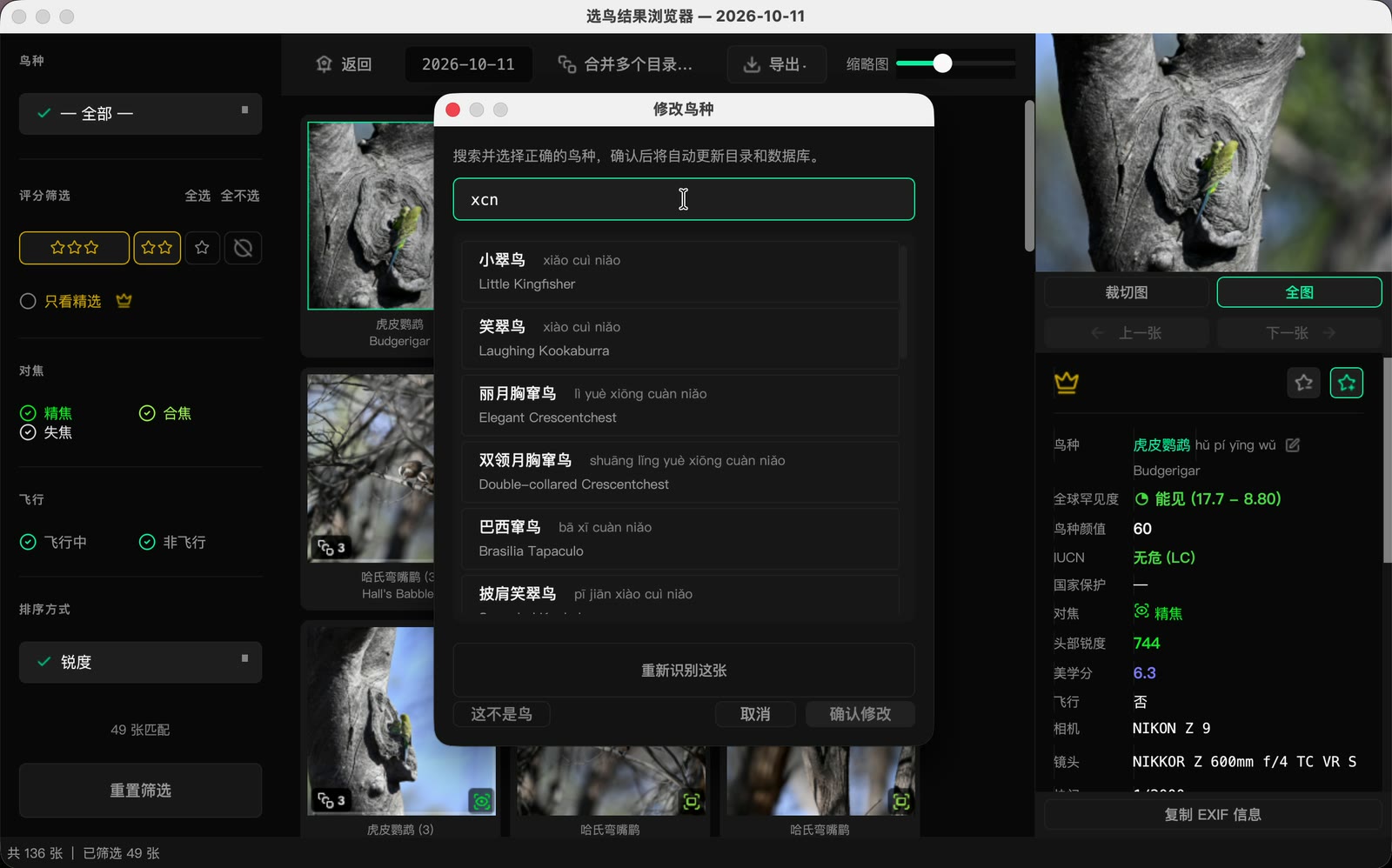
认错了就点鸟种旁边的 铅笔 图标。对话框列出这个目录里已有的鸟种,也可以搜索,拼音首字母也行(例如输入 xcn 找到笑翠鸟)。
还可以 重新识别这一张,或标记为 不是鸟。勾选两张以上时,可以 重新识别这 N 张。点 确认修改 后,文件夹和数据库会一起更新。
If it’s wrong, click the pencil next to the species. The dialog lists species already in this folder, and you can search — even by pinyin initials.
You can also re-identify this photo or mark it Not a bird; with two or more selected you can re-identify these N photos. Confirm updates both the folders and the database.
鸟名的英文命名标准(如 AviList、eBird)可以在 设置 → 常用 → 识鸟 里切换。The English naming authority (e.g. AviList, eBird) can be changed in Settings → General → Bird ID.