摄影水平预设和星级配额,决定了选片有多严格。Skill presets and star quotas decide how strict the cull is.
打开 设置 → 参数设置,常用页最上面就是摄影水平,有 新手、初级、大师 三档。
在 4.6 起的 V2 评星里,档位决定的是三星的配额:新手排名前 40% 拿三星,初级 30%,大师最严,只给前 20%。二星三档都是 30%,剩下的是一星。档位越高,三星越少。
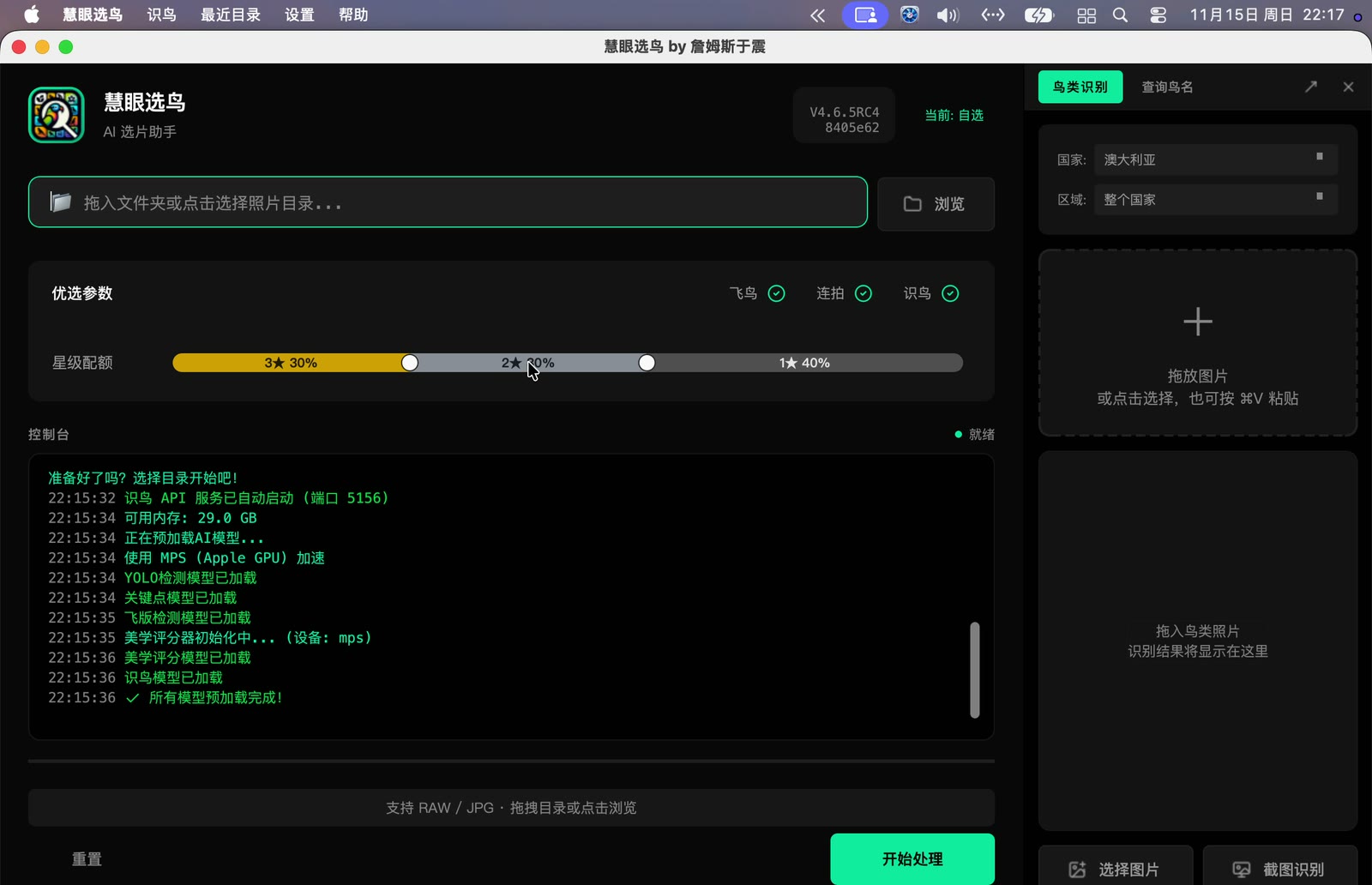
如果手动拖过星级配额,这里会显示为 自选。第一次用建议选 初级。点 完成 后,主界面右上角会显示当前档位。
Open Settings → Preferences; Skill level is at the top of the General page, with Beginner, Intermediate and Master.
In V2 rating (4.6 and later) the preset sets the 3★ quota: Beginner gives 3★ to the top 40%, Intermediate 30%, Master only the top 20%. 2★ is 30% for all three; the rest are 1★.
If you have dragged the quota bar yourself the preset shows as Custom. Start with Intermediate. After Done, the main window shows the active preset at the top right.
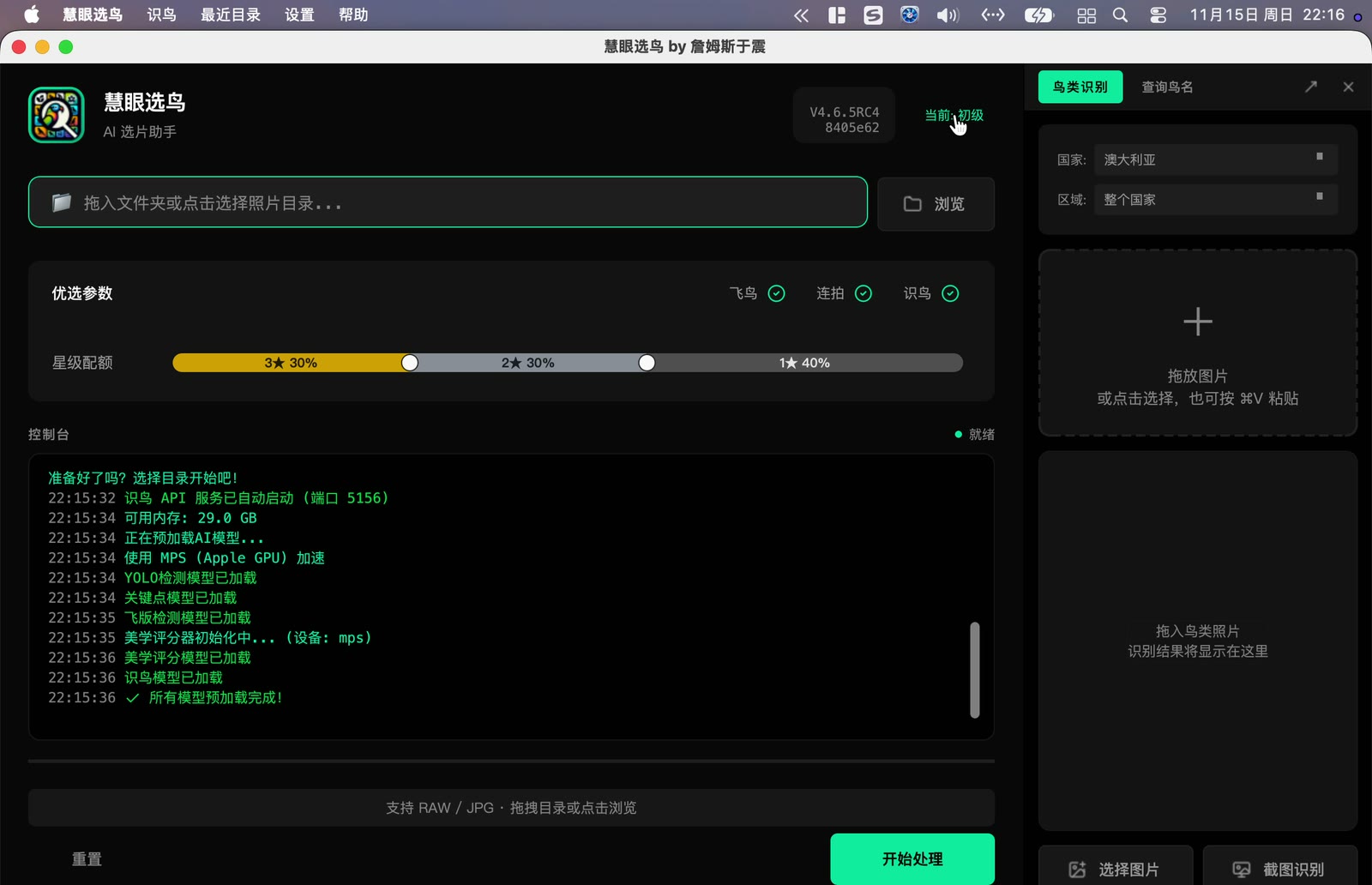
主界面上的配额条显示当前比例,比如初级:前 30% 三星,接下来 30% 二星,其余一星。拖动两个分隔点即可调整,想多留三星就把第一个点往右拖。
配额只是上限,另有几条保护规则:
The quota bar shows the split — for Intermediate, the top 30% get 3★, the next 30% 2★, the rest 1★. Drag the dividers to change it; drag the first one right to keep more 3★.
Quotas are caps, and a few safeguards apply:
建议先用 初级 + 默认配额 跑几次,再按自己的口味微调。Run a few shoots with Intermediate + default quotas first, then fine-tune.