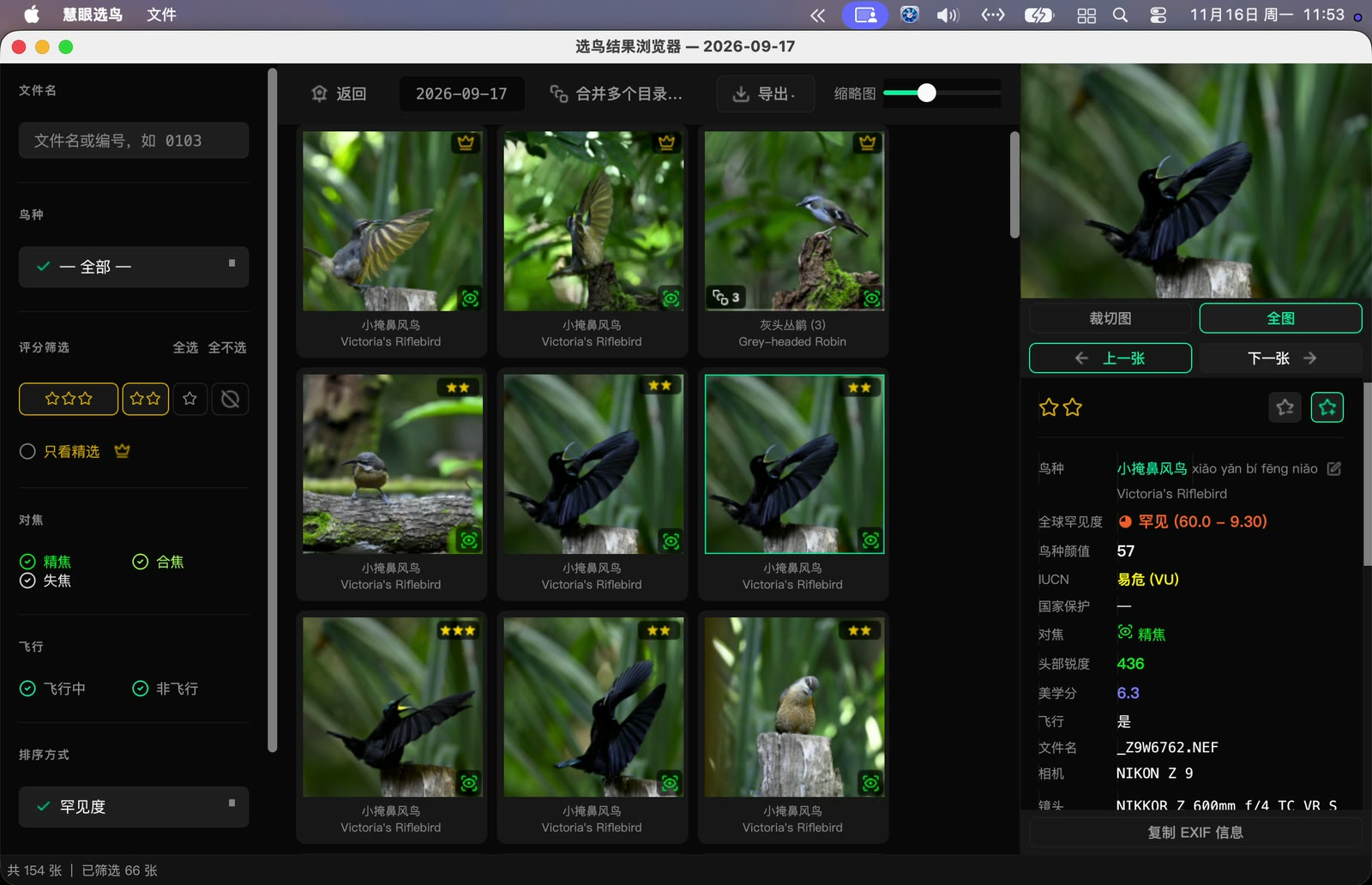
按鸟种、星级、文件名筛选,按罕见度或锐度排序,快速翻看。Filter by species, rating or file name, sort by rarity or sharpness, and flip through quickly.
结果浏览器分三栏:左栏 是筛选和排序,中间 是照片网格,右栏 是选中照片的大图和详细信息。
The Result Browser has three panes — filters and sorting on the left, the photo grid in the middle, and the preview and details on the right.
打开 鸟种 下拉框,选一个鸟种,网格里就只剩它,左下角显示匹配了多少张。看完切回 全部。
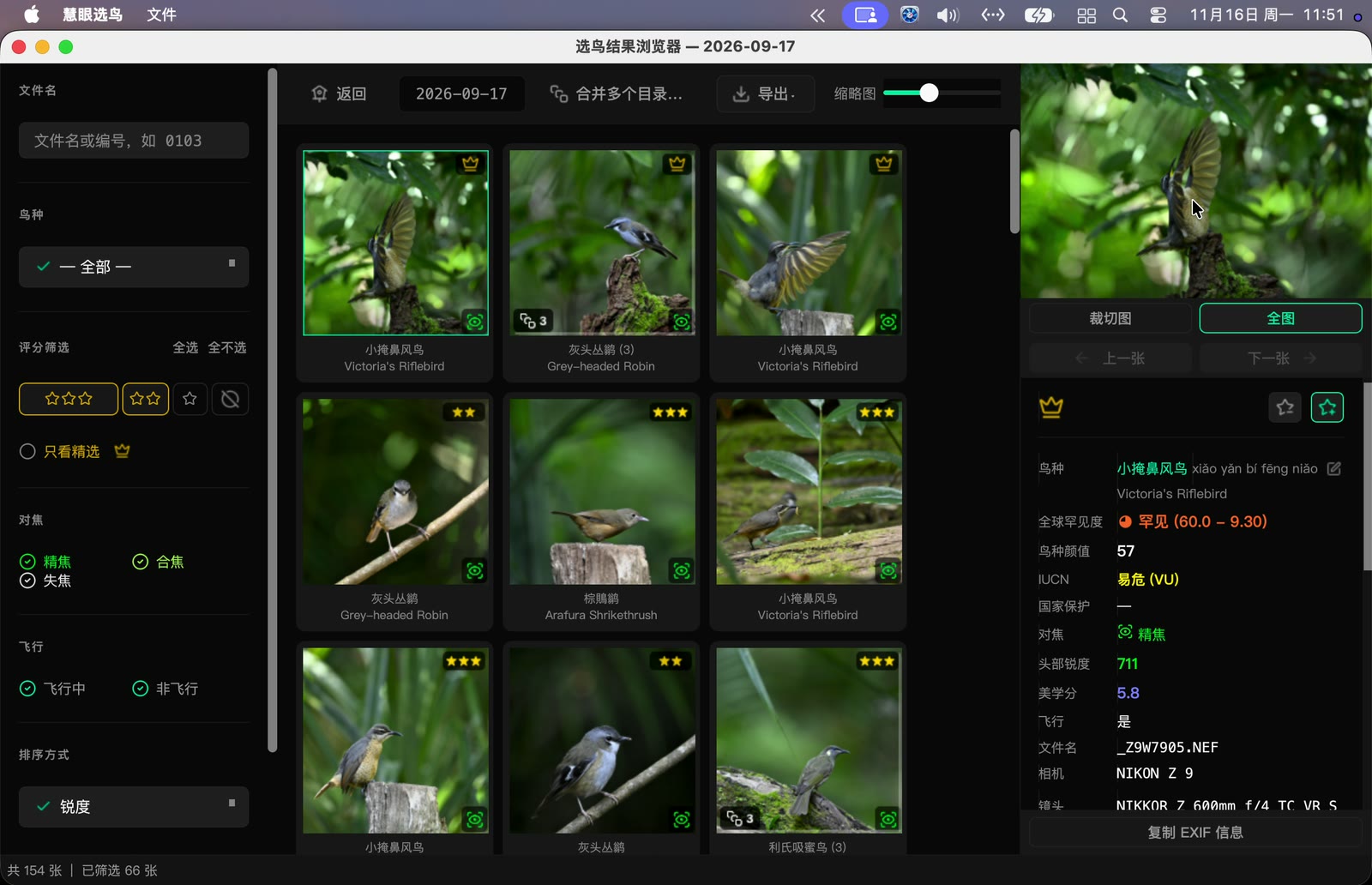
记得文件名的话,在左上角搜索框直接输入文件名或编号,例如 6682;也支持通配符,例如 *A02*。
Open the Species drop-down and pick one; the grid shows only that species, with the match count at the bottom left. Switch back to All when done.
If you remember the file name, type it or its number into the search box at the top left, e.g. 6682; wildcards like *A02* work too.
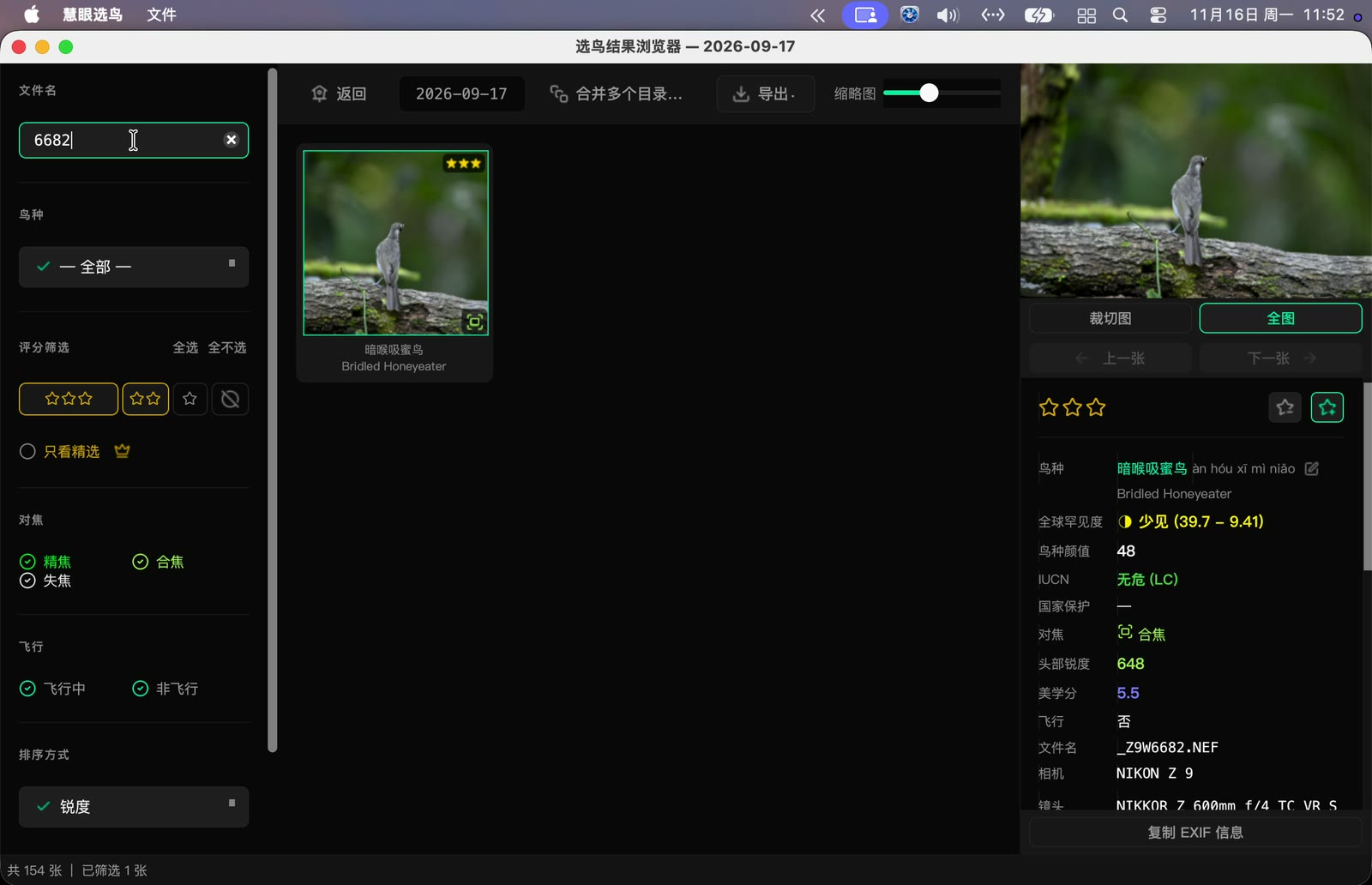
评分筛选里三星和二星默认打开。点 一星 把一星照片加进来,再点一下隐藏。最右边的按钮是零星和无鸟照片;全选 / 全不选 一次切换所有星级。
3★ and 2★ are on by default. Click 1★ to include 1★ photos, click again to hide them. The rightmost button covers 0★ and no-bird photos; All / None toggles every rating at once.
Below are the Picks only, Focus and Flight filters, which can be combined (see Chapter 05, Chapter 06).
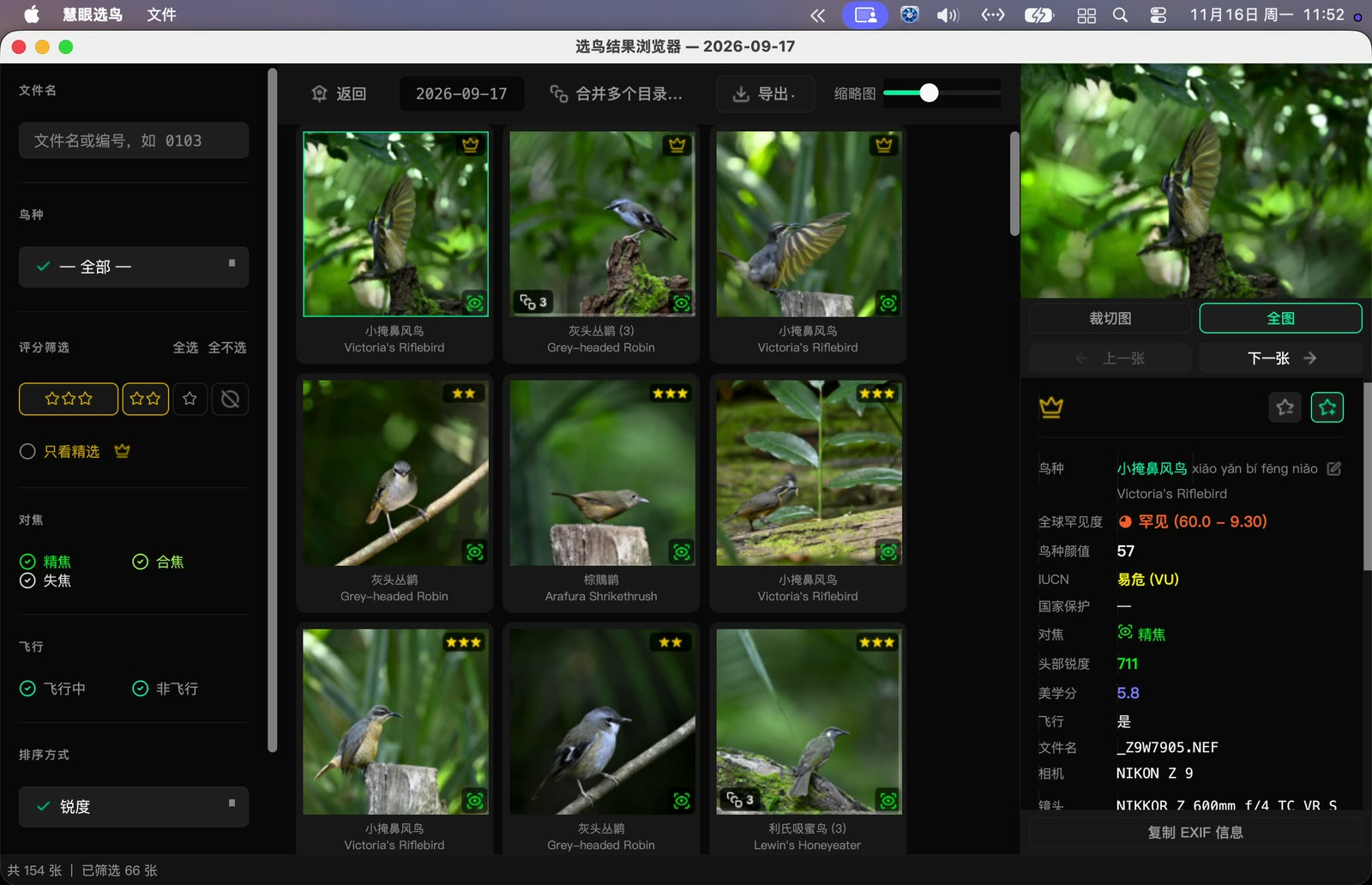
默认按 锐度 排序,也可以按 罕见度、文件名、星级、美学或 鸟种颜值 排。选罕见度,最稀有的鸟排在最前面(见 第 11 章)。
Sorting defaults to Sharpness; you can also sort by Rarity, file name, rating, aesthetics or Species appeal. Rarity puts the scarcest birds first (see Chapter 11).
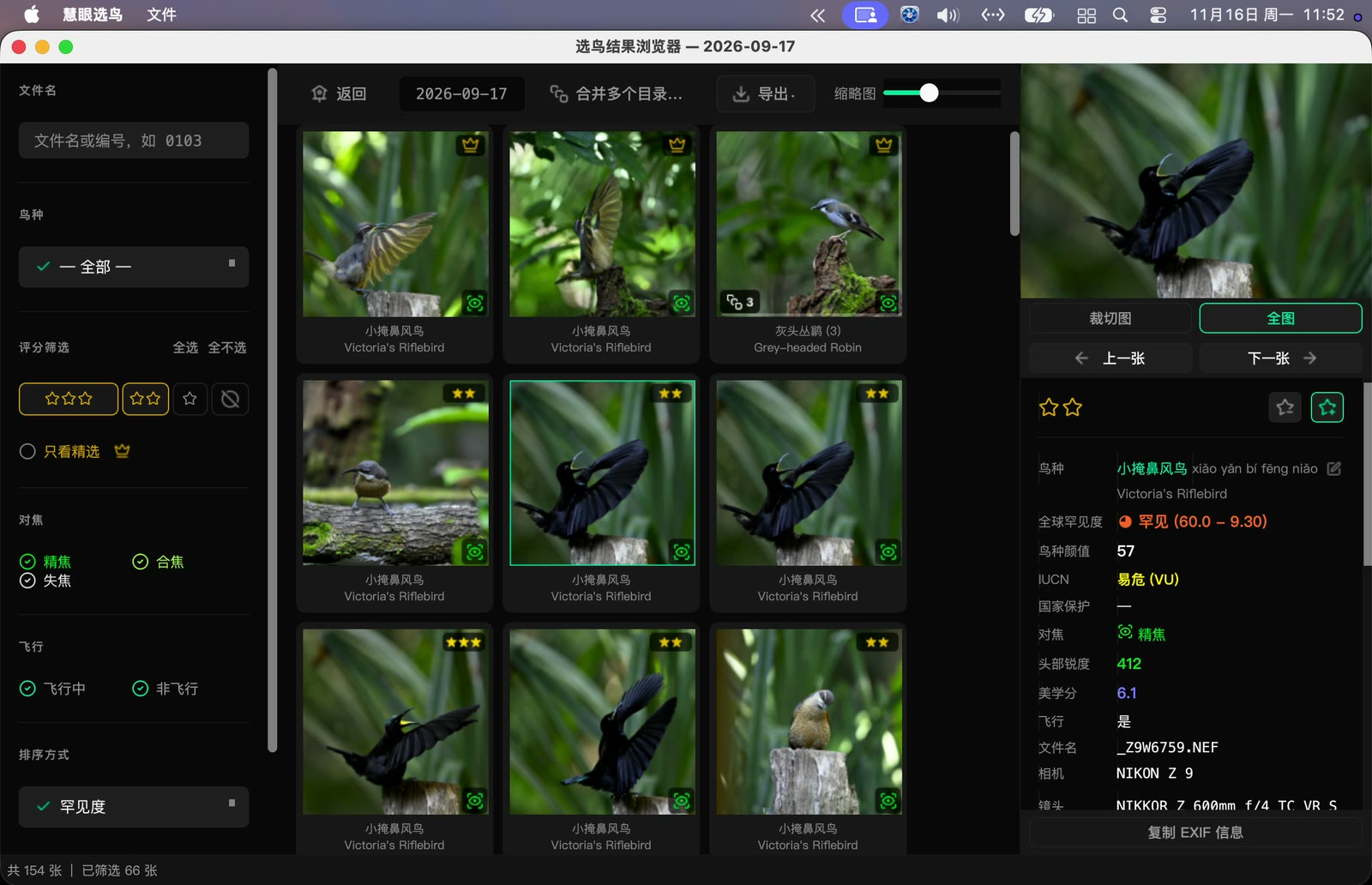
顶部滑块调整缩略图大小。点右栏的 上一张 / 下一张 翻页,详细信息随之更新。
筛乱了也不要紧,点 重置筛选 一键恢复默认。
The slider at the top changes thumbnail size. Use Previous / Next in the right pane to flip through; the details follow.
If the filters get messy, Reset filters restores the defaults.