自动认出视频里的鸟,按鸟种改名、归档。Identify birds in your video clips and file them by species.
在 设置 → 实验室 勾选 分析照片时同时处理视频,下面会多出几个选项:
In Settings → Labs tick Also process videos. More options appear:
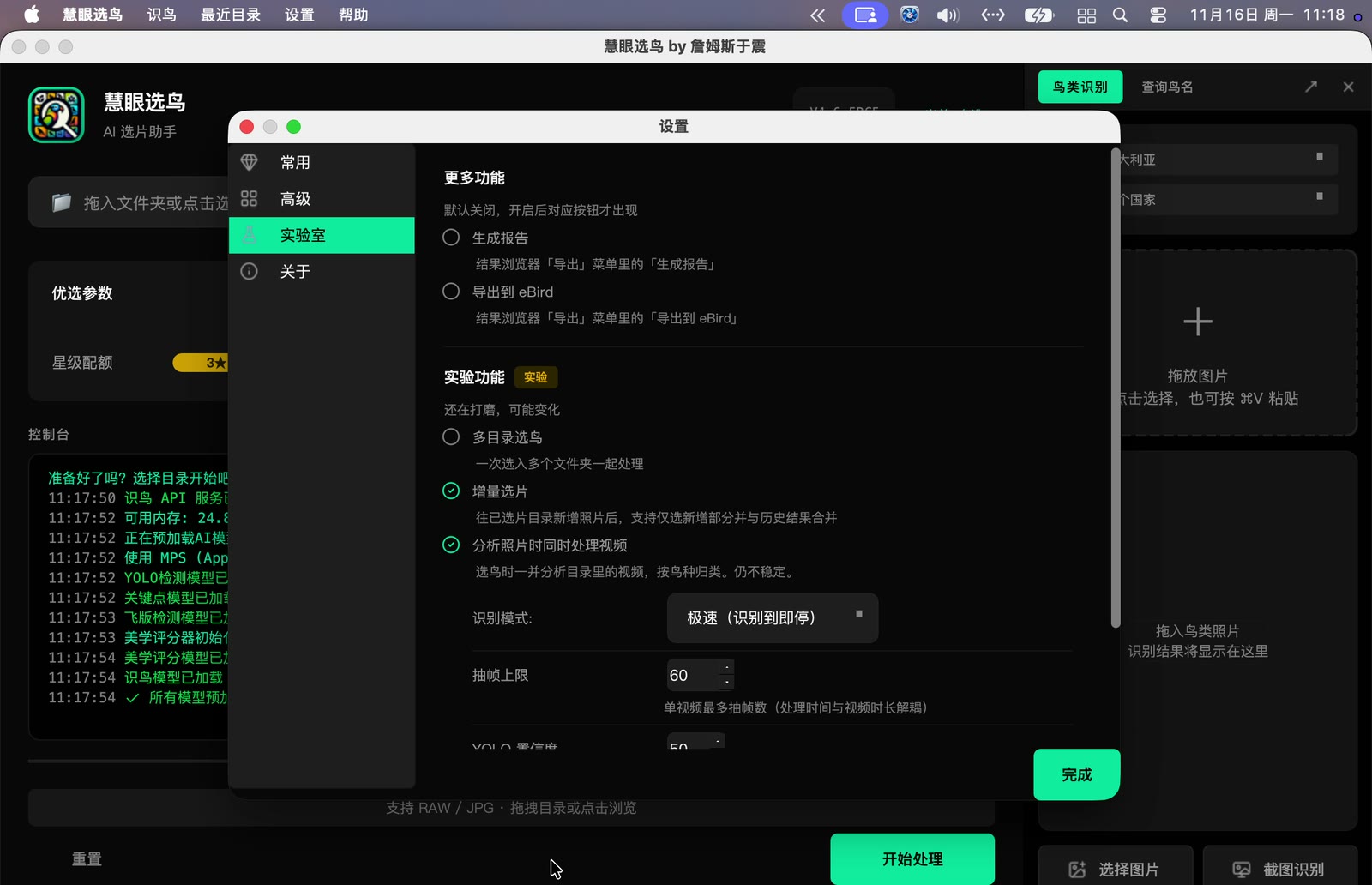
选一个放了视频的文件夹,照片和视频可以混在一起。开始处理后,软件从每段视频里抽出画面,先找鸟,再识别鸟种。
Choose a folder with video clips — photos and videos can be mixed. SuperPicky samples frames from each clip, finds the bird, then identifies it.
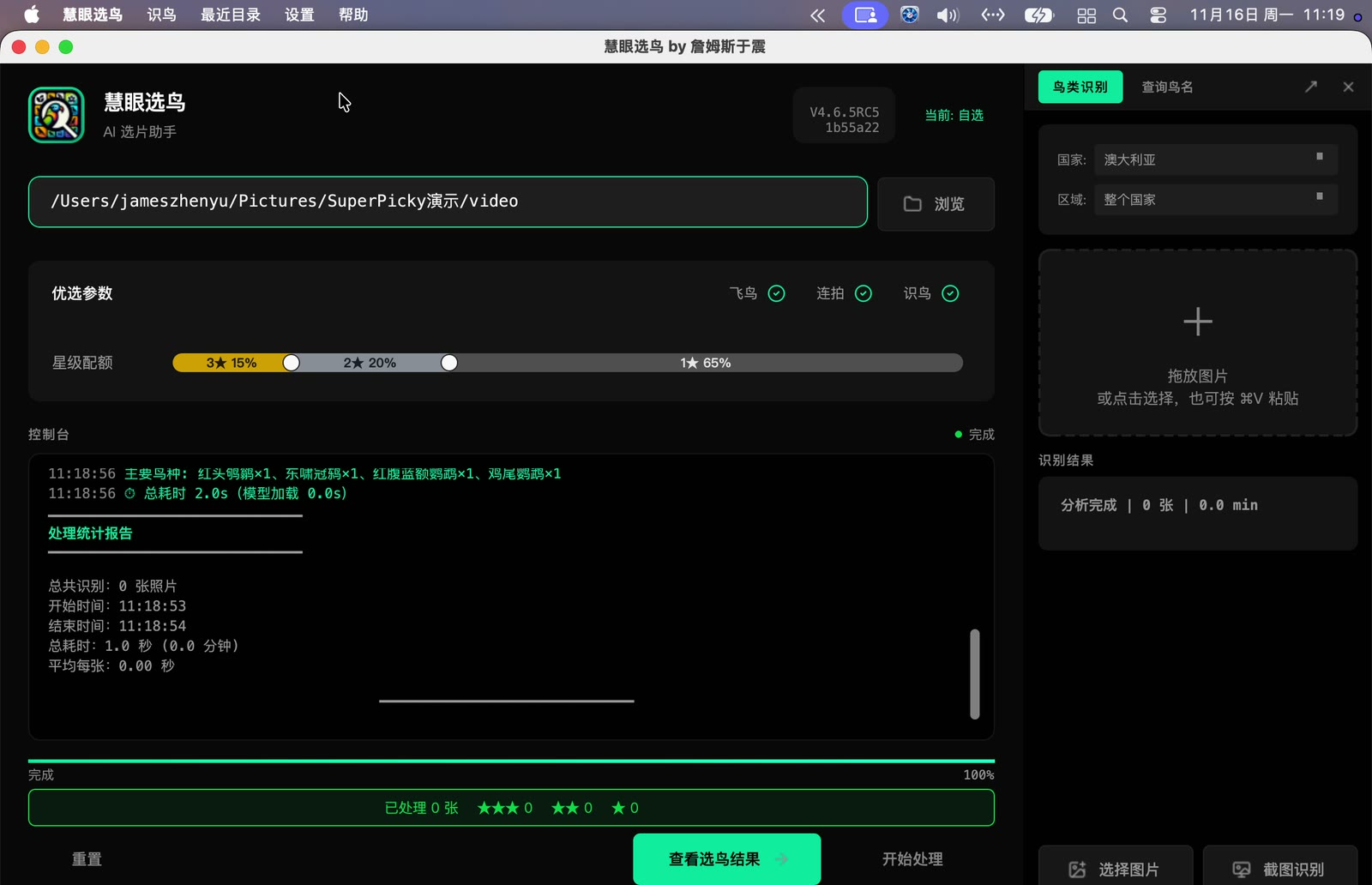
控制台列出每段视频认出的鸟种。每段视频会改名为 鸟种 + 拍摄日期,放进对应鸟种的文件夹,和照片放在一起也很好找。
视频分析还在实验阶段,结果浏览器里暂时只显示照片。
The console lists the species found in each clip. Clips are renamed to species + date and moved into the species folders alongside your photos.
Video analysis is experimental; the Result Browser shows photos only for now.